
Spigen Glas.tR Slim FC Apple MacBook Neo 13 2026 Black


Description
Product Description
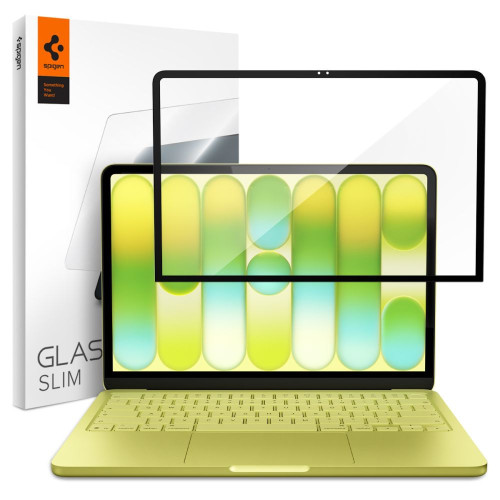
Spigen Glas.tR Slim FC is a crystal clear tempered glass with a hardness of 9H featuring precisely fitted black Full Cover frames that perfectly cover the edges of the display, maintaining an elegant look and slim profile – the laptop lid closes completely without any obstructions.
The oleophobic coating effectively minimizes fingerprint smudges and makes it easier to keep the screen clean. The Anti-Dust Nano Coating repels dust, keeping the screen cleaner on a daily basis. The precise cutout for the camera does not affect its quality – FaceTime and video calls work without any interruptions. The glass does not affect the sensitivity and responsiveness of the touch.
* Due to the various edge milling of displays, a slight air halo may appear around the screen after installing the protective glass. This is a natural occurrence and depends on the construction of the screen itself.
Product Features
- 100% Original
- Packaged in original packaging
- Hardness 9H
- Full Cover (FC)
- Oleophobic coating
- Anti-Dust Nano Coating
- Precise cutout
- Slim profile
- Does not affect touch sensitivity
Specification
| Model | Glas.tR Slim FC |
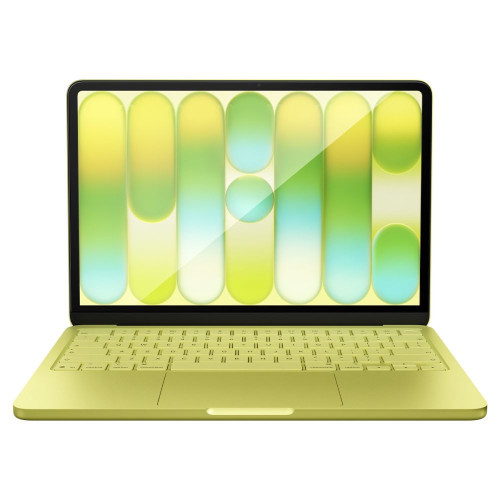
| Compatibility | MacBook Neo 13 (2026) Model: A3404 |
| Type | Full Cover Tempered Glass |
| Hardness | 9H |
| Coating | Oleophobic + Anti-Dust Nano Coating |
| Dimensions | 292.38 × 186.74 mm |
| Frames | Black |
Package Includes
- 1 × Spigen Glas.tR Slim FC Tempered Glass
- 1 × Installation kit
Installation Instructions
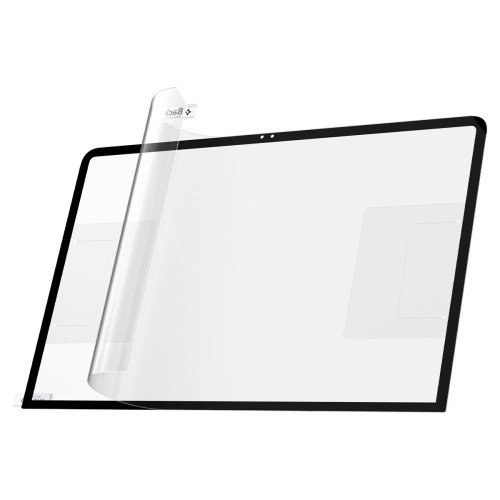
1. Start the installation in the bathroom right after a shower – the steam will absorb all the dust from the atmosphere and it won't interfere with your installation.
2. Thoroughly clean and degrease the screen surface, then polish it to a shine with a dry cloth.
3. Install the coating as evenly as possible – you can position it using two strips of tape, sticking them to the side of the device.
4. Remove air bubbles by firmly pressing down in circular motions for several seconds. Do this so that the adhesive layer bonds with the screen as strongly as possible.
Description
Product Description
Spigen Glas.tR Slim FC is a crystal clear tempered glass with a hardness of 9H featuring precisely fitted black Full Cover frames that perfectly cover the edges of the display, maintaining an elegant look and slim profile – the laptop lid closes completely without any obstructions.
The oleophobic coating effectively minimizes fingerprint smudges and makes it easier to keep the screen clean. The Anti-Dust Nano Coating repels dust, keeping the screen cleaner on a daily basis. The precise cutout for the camera does not affect its quality – FaceTime and video calls work without any interruptions. The glass does not affect the sensitivity and responsiveness of the touch.
* Due to the various edge milling of displays, a slight air halo may appear around the screen after installing the protective glass. This is a natural occurrence and depends on the construction of the screen itself.
Product Features
- 100% Original
- Packaged in original packaging
- Hardness 9H
- Full Cover (FC)
- Oleophobic coating
- Anti-Dust Nano Coating
- Precise cutout
- Slim profile
- Does not affect touch sensitivity
Specification
| Model | Glas.tR Slim FC |
| Compatibility | MacBook Neo 13 (2026) Model: A3404 |
| Type | Full Cover Tempered Glass |
| Hardness | 9H |
| Coating | Oleophobic + Anti-Dust Nano Coating |
| Dimensions | 292.38 × 186.74 mm |
| Frames | Black |
Package Includes
- 1 × Spigen Glas.tR Slim FC Tempered Glass
- 1 × Installation kit
Installation Instructions
1. Start the installation in the bathroom right after a shower – the steam will absorb all the dust from the atmosphere and it won't interfere with your installation.
2. Thoroughly clean and degrease the screen surface, then polish it to a shine with a dry cloth.
3. Install the coating as evenly as possible – you can position it using two strips of tape, sticking them to the side of the device.
4. Remove air bubbles by firmly pressing down in circular motions for several seconds. Do this so that the adhesive layer bonds with the screen as strongly as possible.
Related products
Products you might be interested in


